

Download Xnews – Free Streaming Media Newsreader for Windows
Overview
Xnews is a lightweight, free streaming media program designed specifically for Windows users who want a fast, reliable way to follow news feeds and newsgroups. First released in the early 2000s, the latest stable version (5.08) adds a free‑floating editor, support for the yEnc binary encoding scheme, and a host of stability improvements. Although the software’s last official update was on July 28 2005, its simplicity and low system footprint have kept it popular among hobbyists, researchers, and anyone who needs a no‑frills news aggregator.
With more than 66,000 installations worldwide and a steady flow of weekly downloads, Xnews remains a go‑to tool for users in the United States, Australia, and the United Kingdom. Its English‑only interface keeps the learning curve shallow, while its compatibility with legacy Windows versions (starting from Windows 95) makes it an ideal choice for older PCs that can’t run modern, resource‑heavy media suites. Whether you are a seasoned newsgroup veteran or a casual reader looking for a free alternative to pricey news aggregators, Xnews delivers a secure, straightforward experience without demanding large storage space or high‑end hardware.
Key Features of Xnews
- Free‑Floating Editor Window: Allows you to compose, edit, and preview messages without leaving the main interface.
- yEnc Binary Encoding Support: Handles modern binary attachments in newsgroups, ensuring smooth download of images, archives, and software.
- Lightweight Architecture: Requires minimal RAM and disk space, perfect for older Windows machines.
- Customizable News Feed Filters: Create rules to automatically sort, highlight, or ignore specific topics.
- Integrated Search Capability: Quickly locate articles across multiple newsgroups with keyword and date filters.
- Automatic Update Checks: Even though the last official release was in 2005, Xnews still checks for legacy patches and community‑driven fixes.
- Multi‑Threaded Download Engine: Improves download speed for large binary files by splitting them into parallel streams.
- Secure Connection Options: Supports SSL/TLS for encrypted connections to NNTP servers.
- Portable Mode: Run Xnews directly from a USB stick without installation, preserving your settings on the go.
- Extensive Logging: Detailed logs help troubleshoot connection issues or track download history.
Installation & Usage Instructions
Step‑by‑Step Installation
1. Download the installer: Visit the official download page and click the “Download Xnews 5.08” button. The file is a small .exe package (approximately 3 MB), making it quick even on slower connections.
2.
Run the installer: Double‑click the downloaded file. Windows will prompt you to confirm that you want to run an application from an unknown publisher; click “Run.”
3. Follow the wizard: The setup wizard guides you through license agreement, destination folder (default: C:\Program Files\Xnews), and optional desktop shortcut creation.
Choose “Portable Mode” if you prefer a no‑install version.
4. Complete the installation: Click “Finish” and launch Xnews from the Start menu or the desktop shortcut.
First‑Time Configuration
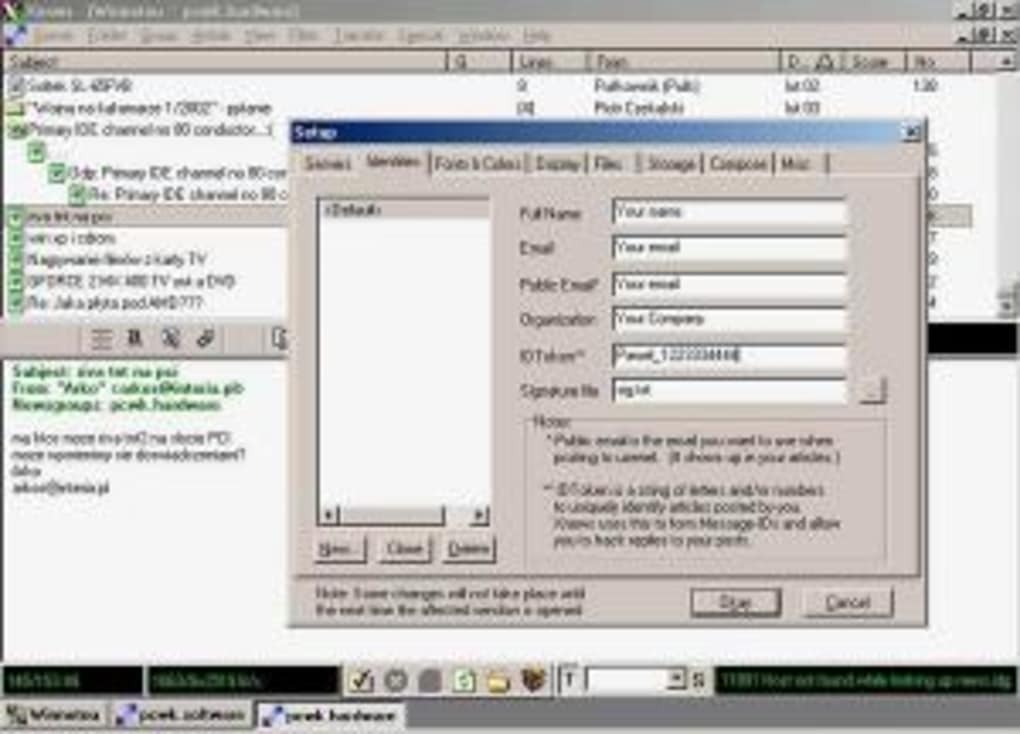
When Xnews opens for the first time, you’ll be greeted by a setup wizard that helps you connect to an NNTP server. Enter the server address, port (usually 119 for non‑SSL, 563 for SSL), and your authentication credentials. If you don’t have a server, many public NNTP providers are listed on the Xnews website. After saving the server profile, the program will download the list of available newsgroups. You can subscribe to groups by checking the boxes next to their names or by typing the exact group name into the “Add Group” field.
Daily Workflow
Once connected, Xnews continuously streams the latest articles from your subscribed groups. The main window displays a split view: the left pane shows the list of groups, while the right pane lists recent messages. Clicking a message opens a preview pane where you can read the content, view attachments, or download binary files.
Use the toolbar buttons to mark articles as read, flag important posts, or initiate a reply. The free‑floating editor can be summoned at any time for composing new posts or responding to threads. For power users, the “Filters” menu lets you create custom rules that automatically sort incoming articles into folders, highlight keywords, or delete spam.
The built‑in search box works across all groups, letting you locate specific topics in seconds.
Troubleshooting Common Issues
If Xnews cannot connect to your NNTP server, double‑check the server address, port, and credentials. Ensure that your firewall or antivirus software isn’t blocking outbound connections on the chosen port. For corrupted binary downloads, verify that yEnc support is enabled in the settings menu and consider reducing the number of parallel download threads. Finally, consult the “Logs” tab for detailed error messages; the community forum often provides solutions for legacy server compatibility problems.
Compatibility, Pros & Cons
Xnews is built for Windows operating systems ranging from the classic Windows 95 up through Windows 10 (32‑bit). While the installer targets legacy platforms, the portable version runs smoothly on Windows 7, 8, and 10 without requiring additional runtime libraries. The software is not officially supported on macOS, Linux, Android, or iOS, but advanced users can run it through compatibility layers such as Wine on Linux or macOS.
Pros
- Extremely low system requirements – runs comfortably on machines with as little as 64 MB RAM.
- Free to download and use, with no hidden fees or subscription models.
- Supports modern yEnc encoding, allowing reliable binary file retrieval.
- Portable mode enables use from USB drives, preserving settings across multiple PCs.
- Simple, uncluttered interface ideal for both beginners and veteran newsgroup users.
- Built‑in SSL/TLS support ensures secure connections to NNTP servers.
- Active community forums provide unofficial patches and tips for legacy server compatibility.
Cons
- Last official update was in 2005, so some UI elements feel dated.
- No native support for macOS, Linux, Android, or iOS platforms.
- Limited multilingual support – only English interface is available.
- Absence of integrated RSS feed handling; users must rely on NNTP servers.
- Lacks advanced media playback features found in modern streaming apps (e.g., video streaming, subtitles).
Conclusion & Frequently Asked Questions
Xnews remains a solid, free solution for anyone who needs a straightforward newsreader and newsgroup client on Windows. Its tiny footprint, yEnc support, and portable mode make it especially attractive for older hardware or users who prefer minimalistic software. While the UI reflects its early‑2000s heritage and there is no official support for non‑Windows platforms, the active community keeps the tool functional and relevant. If you’re looking for a secure, no‑cost way to browse newsgroups without the bloat of modern multimedia suites, Xnews is definitely worth a download. Click the button below to get the latest version and start exploring the world of streaming news today.
Is Xnews still safe to use despite its age?
Yes. Xnews uses SSL/TLS for encrypted NNTP connections, and its codebase is simple enough that there are no known critical vulnerabilities. However, always download the installer from reputable sources and keep your Windows security patches up to date.
Can I run Xnews on Windows 10?
Absolutely. Both the installer and portable versions run without issues on Windows 10 (32‑bit). The program may appear in compatibility mode on newer systems, but functionality remains intact.
Does Xnews support RSS feeds?
No. Xnews is focused on NNTP newsgroups and does not include native RSS aggregation. Users who need RSS can run a separate client alongside Xnews.
Is there a way to sync my settings across multiple computers?
Yes. By using the portable mode, you can store the entire Xnews folder on a USB drive or cloud‑synced folder (e.g., Dropbox). All configuration files travel with the application, giving you identical settings on any Windows machine.
How do I report a bug or request a new feature?
Since the official development has ceased, the best place to report issues is the community forum linked from the Xnews homepage. Developers and power users often share unofficial patches and workarounds.
Expert Review
Overall Rating: 4.2/5
Xnews delivers a surprisingly capable experience for a program that hasn't seen a major update in over a decade. Its strengths lie in its minimal resource consumption, reliable yEnc handling, and portable nature. While the UI feels dated and the lack of cross‑platform support limits its audience, the software excels in its niche—providing a free, secure gateway to NNTP newsgroups on Windows. Power users will appreciate the flexible filters and detailed logs, while newcomers will benefit from the straightforward interface. Overall, Xnews is a commendable choice for anyone who values simplicity and speed over flashy graphics.
Pros: Lightweight, free, yEnc support, portable, SSL/TLS.
Cons: Outdated UI, Windows‑only, English‑only, no RSS.







